This Kodak Mini 2 Retro review looks at a compact Bluetooth printer for turning phone photos into wallet-sized keepsakes. Its appeal centers on portable 4PASS printing, app-based editing, and a starter bundle of paper and cartridges.
Mini 2 Retro Review Summary
The quick verdict

12,000+ ratings
Read Amazon ReviewsKODAK Mini 2 Retro
A portable 4PASS printer for turning phone photos into compact keepsakes, with editing tools and starter paper included.
- 4PASS dye-sublimation process builds each print in three color layers and finishes it with clear protective lamination.
- Prints are about credit-card size, suited to wallets, planners, albums, and everyday keepsakes.
- Bluetooth connects the printer with compatible iOS and Android devices through the KODAK Photo Printer app.
- The app supports editing, cropping, and customizing photos before printing.

Pros
- Compact enough for a hand, bag, or pocket, making it practical to take to gatherings and trips.
- App editing gives users a chance to crop and personalize an image before printing.
Consider before buying
- The credit-card-sized output is intentionally small, so it is a poor match for buyers who want large photos for framing or wall display.
- A roughly 55-second print cycle can feel slow when you want to produce a run of photos quickly.
Read the full review summary
The Mini 2 Retro suits people who want physical copies of phone photos without carrying a full-size printer.
Bluetooth pairing with compatible iOS and Android devices and the KODAK Photo Printer app make it useful for casual printing at home, parties, trips, and scrapbook sessions.
The strongest reason to consider it is the combination of three color layers and a clear protective lamination, plus edits before printing.
Keep expectations aligned with the compact, credit-card-sized output and a roughly 55-second print cycle; this is for small keepsakes rather than large-format display prints.
The buying factors
Mini 2 Retro Scorecard
Editorial scores reflect listed features and buyer fit; they are not laboratory measurements or customer ratings.
Portability
Pocket- and bag-friendly dimensions make it convenient for trips, events, and impromptu scrapbook additions.
Phone workflow
Bluetooth connection, compatible iOS and Android support, and an editing app cover the basic phone-to-print workflow.
Print format
Credit-card-sized prints work well for wallets, planners, and albums, though the small format limits wall-display impact.
Print process
4PASS dye sublimation uses three color layers and a clear protective lamination layer for each photo.
Print pace
A print takes approximately 55 seconds, a reasonable fit for occasional keepsakes but a wait to account for during a larger batch.
Starter bundle
The package includes the printer, four cartridges, 38 sheets, a USB Type-C cable, and a user guide to get started.
Key Features and Specifications of Mini 2 Retro
- 4PASS dye-sublimation process builds each print in three color layers and finishes it with clear protective lamination.
- Prints are about credit-card size, suited to wallets, planners, albums, and everyday keepsakes.
- Bluetooth connects the printer with compatible iOS and Android devices through the KODAK Photo Printer app.
- The app supports editing, cropping, and customizing photos before printing.
- A print takes approximately 55 seconds.
- The bundle includes four cartridges, 38 sheets of photo paper, a USB Type-C cable, and a user guide.
Pros and Cons of Mini 2 Retro
Pros
- Compact enough for a hand, bag, or pocket, making it practical to take to gatherings and trips.
- App editing gives users a chance to crop and personalize an image before printing.
- The lamination layer is designed to resist fingerprints, water, and fading.
- A starter supply of paper and cartridges is included with the printer.
Consider before buying
- The credit-card-sized output is intentionally small, so it is a poor match for buyers who want large photos for framing or wall display.
- A roughly 55-second print cycle can feel slow when you want to produce a run of photos quickly.
Who Should Buy Mini 2 Retro?
Good fit
Buy the Mini 2 Retro if you want to turn selected phone pictures into compact prints for journals, albums, planners, or party keepsakes. Its pocket-friendly form is especially useful when you want to print away from a desk.
It also fits first-time users who value a straightforward Bluetooth setup and want to make basic edits in the app before printing. The included paper and cartridges let you begin with a starter supply already in the box.
Who should skip it
Skip it if your priority is large prints for framing or a prominent wall display; its output is about credit-card size and is aimed at compact keepsakes.
Choose another kind of printer if you need a fast stream of prints for a high-volume session, since each Mini 2 Retro photo takes approximately 55 seconds.
KODAK Mini 2 Retro: Is Compact 4PASS Printing a Good Fit?
Small Prints for Everyday Keepsakes
The credit-card-sized format is the defining constraint and benefit.
It slips naturally into wallets, planners, and albums, and works for casual photo sharing, but it does not serve buyers who want a larger image to anchor a wall or frame.
A Phone-Centered Editing Workflow
The workflow begins on a compatible iOS or Android device, then continues in the KODAK Photo Printer app where users can edit, crop, and customize an image.
That is convenient for spontaneous prints and simple creative projects, especially when the source photo needs a quick crop before output.
What 4PASS Adds
The printer layers three colors and a clear protective finish onto each photo.
That design is intended to make the surface resistant to fingerprints, water, and fading, a useful consideration for prints handled as keepsakes; it should not be read as a guarantee against damage in every situation.
Plan Around the Print Cycle
At approximately 55 seconds per print, this is better suited to selecting and printing favorite moments than racing through a large batch.
The included 38 sheets provide a ready-to-start supply, while replacement media needs will matter for ongoing use.
Alternatives to Mini 2 Retro
Portable Photo Printers alternative
2,000+ ratings
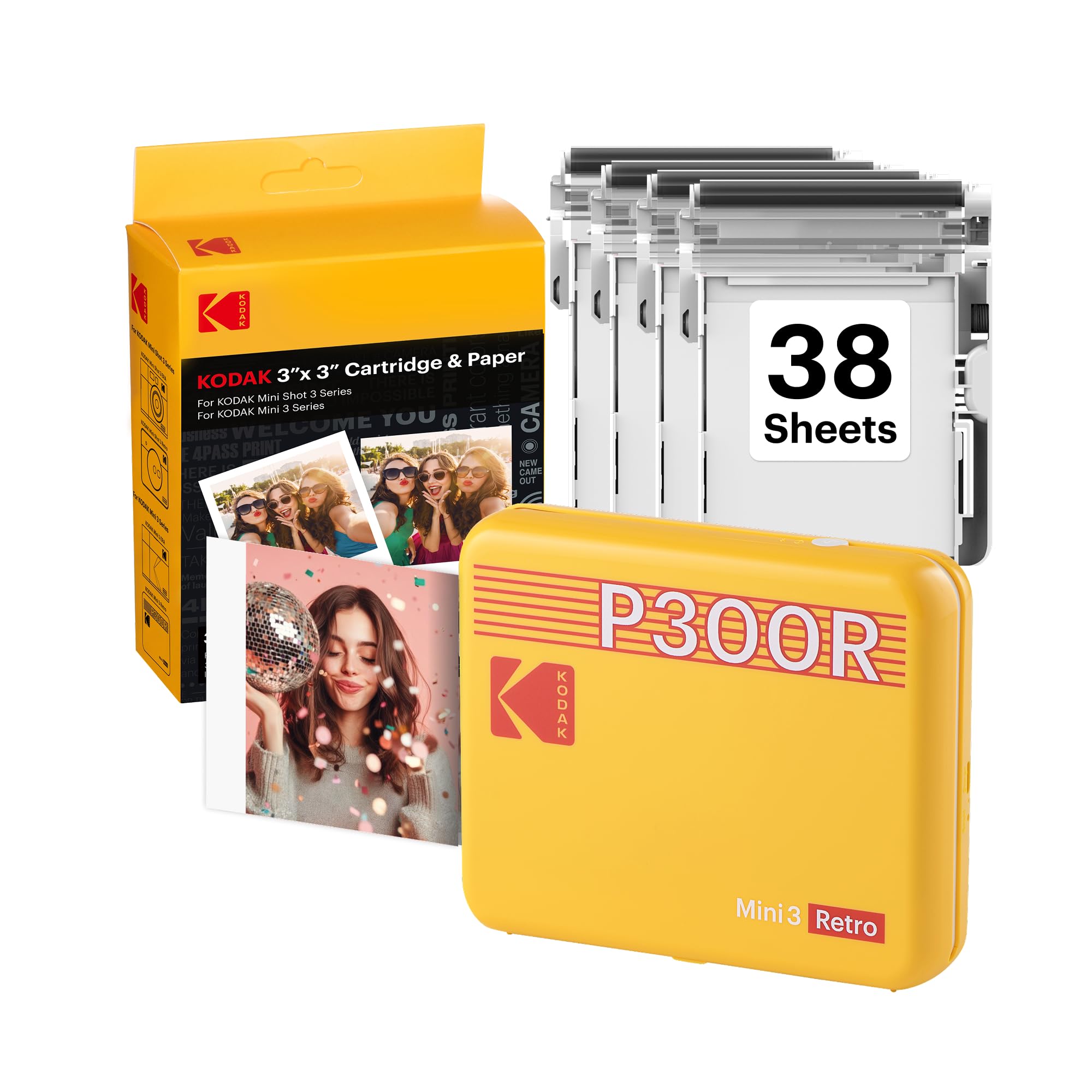
Read Amazon ReviewsKODAK Mini 3 Retro 3x3 Portable Photo Printer
Choose the Mini 3 Retro if square prints for scrapbooks or wall displays better suit your projects; choose the Mini 2 Retro for credit-card-sized keepsakes that fit wallets and planners.
- The Mini 3 Retro produces compact square prints suited to albums, scrapbooks, and wall displays, while retaining 4PASS printing and portable use.
- The Mini 2 Retro produces credit-card-sized photos, a compact format for wallets, planners, and albums.
Sticker-print alternative

20,000+ ratings
Read Amazon ReviewsKODAK Step Instant Smartphone Photo Printer
Choose the Step if peel-and-stick ZINK prints and Bluetooth or NFC pairing better match your intended use; choose the Mini 2 Retro for its 4PASS dye-sublimation process and laminated photo finish.
- The Step uses ZINK technology and 2-by-3-inch sticky-back paper, which can be peeled and stuck to surfaces; it connects with Bluetooth or NFC.
- The Mini 2 Retro uses three color layers with a clear protective lamination layer for each photo.
Is Mini 2 Retro Worth It?
The KODAK Mini 2 Retro is worth considering if you want portable phone printing for compact keepsakes, appreciate app-based editing, and value a layered 4PASS process with a protective finish.
Its starter bundle adds paper and cartridges for getting underway.
Pass if you need larger prints or want to produce many photos in a hurry: the credit-card format and approximately 55-second cycle are central tradeoffs. For small albums, journals, and event keepsakes, those limits are easier to accept.
Your review at a glance
12,000+ ratings
Read Amazon ReviewsKODAK Mini 2 Retro
A portable 4PASS printer for turning phone photos into compact keepsakes, with editing tools and starter paper included.
- 4PASS dye-sublimation process builds each print in three color layers and finishes it with clear protective lamination.
- Prints are about credit-card size, suited to wallets, planners, albums, and everyday keepsakes.
- Bluetooth connects the printer with compatible iOS and Android devices through the KODAK Photo Printer app.
- The app supports editing, cropping, and customizing photos before printing.