This HP Sprocket Select review looks at a portable photo printer for turning phone and social-media images into larger sticky-back keepsakes. Its ZINK paper and editing app suit casual printing at home or while traveling.
Sprocket Select Review Summary
The quick verdict

25,000+ ratings
Read Amazon ReviewsHP Sprocket Select
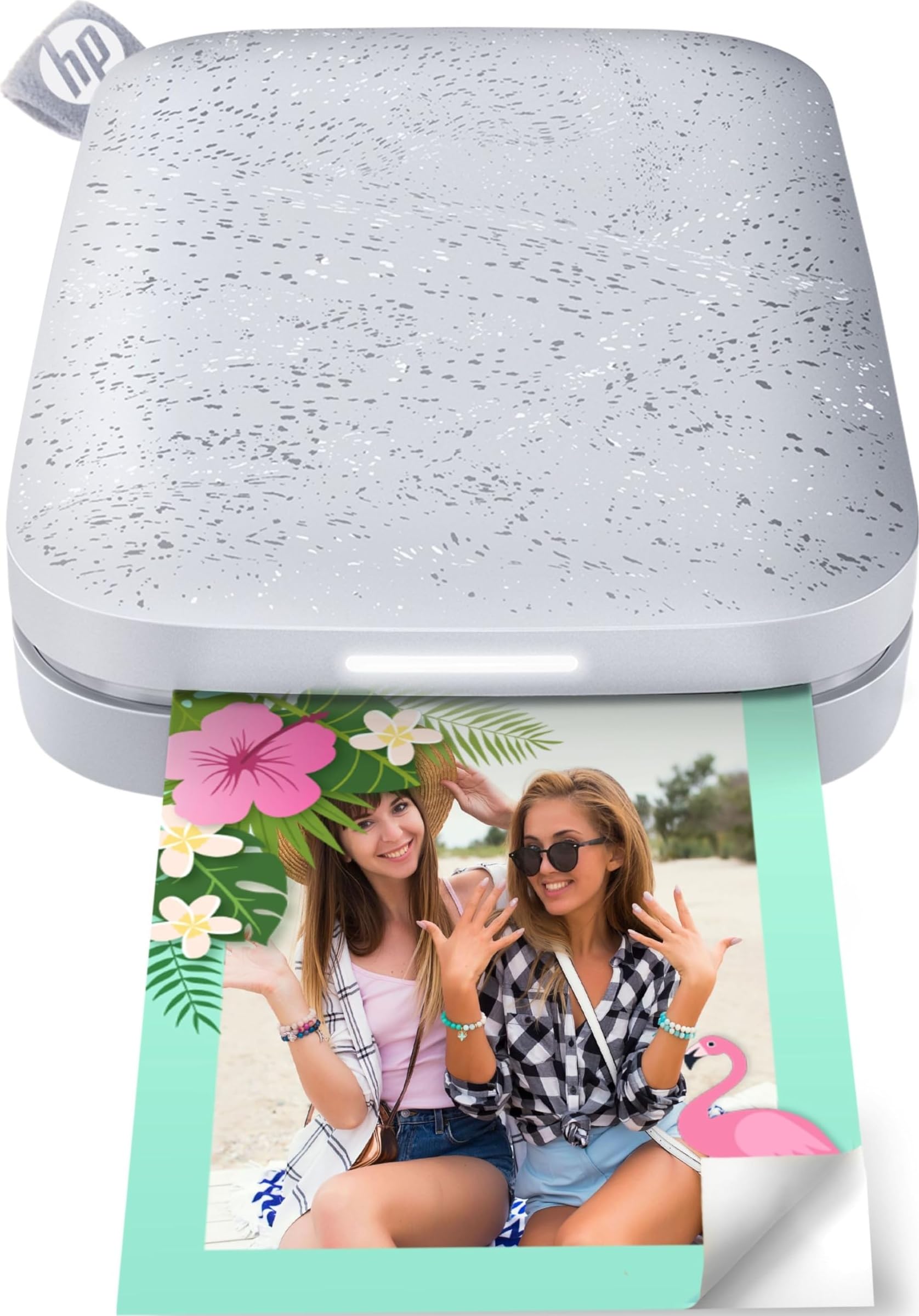
A travel-friendly choice for phone users who want larger sticky-back prints, app editing and ink-free ZINK printing.
- Prints smartphone or social-media photos at 2.3 by 3.4 inches.
- Works with iOS and Android devices through Bluetooth 5.1.
- Uses ZINK sticky-back photo paper with colors embedded in the paper.
- Does not require separate toner or ribbon replacements.

Pros
- Larger 2.3-by-3.4-inch prints give photos more presence than miniature keepsake formats.
- Sticky-back paper makes prints ready for decorating, labeling or placing in a scrapbook.
Consider before buying
- The sticky-back format is less suitable if you mainly want loose, non-adhesive prints for standard photo albums.
- For frequent printing away from home, check the charging routine and bring enough compatible paper for the outing.
Read the full review summary
The Sprocket Select is built around prints measuring 2.3 by 3.4 inches, larger than the compact photo format often associated with pocket printers.
It connects to iOS and Android devices over Bluetooth 5.1, giving phone-first users a straightforward route from saved images to physical prints.
Its ink-free ZINK approach and peel-and-stick paper reduce the need to manage separate toner or ribbon replacements.
The portable, rechargeable design and HP app editing tools fit travelers, scrapbookers and anyone who wants to personalize occasional prints before sharing or displaying them.
The buying factors
Sprocket Select Scorecard
Editorial scores reflect listed features and buyer fit; they are not laboratory measurements or customer ratings.
Print format
The 2.3-by-3.4-inch output offers more room for a photo than a very small pocket print while retaining a portable format.
Phone connectivity
Bluetooth 5.1 support for iOS and Android keeps the printer aligned with a phone-based workflow.
Consumable simplicity
ZINK printing avoids separate toner or ribbon replacements, with color embedded in the sticky-back paper.
Personalization tools
The HP app offers frames and filters, with additional options for custom stickers and augmented-reality features.
Carry-friendly design
A slim, pocket-sized rechargeable form is aimed at travel and home use, though it still needs its paper and charging accessories for printing away from home.
Paper durability features
The glossy paper is designed to resist water, smudges and tears, a useful feature for prints that may be handled or used as stickers.
Key Features and Specifications of Sprocket Select
- Prints smartphone or social-media photos at 2.3 by 3.4 inches.
- Works with iOS and Android devices through Bluetooth 5.1.
- Uses ZINK sticky-back photo paper with colors embedded in the paper.
- Does not require separate toner or ribbon replacements.
- HP app provides frames, filters, custom-sticker creation and augmented-reality features.
- Hashtag-tagged social photos can be found for quick printing through the HP app.
- Slim, wireless, pocket-sized rechargeable design with a removable magnetic lid and Micro USB port.
Pros and Cons of Sprocket Select
Pros
- Larger 2.3-by-3.4-inch prints give photos more presence than miniature keepsake formats.
- Sticky-back paper makes prints ready for decorating, labeling or placing in a scrapbook.
- Ink-free ZINK printing avoids separate toner or ribbon replacements.
- The app adds creative options beyond basic printing, including frames, filters and custom stickers.
Consider before buying
- The sticky-back format is less suitable if you mainly want loose, non-adhesive prints for standard photo albums.
- For frequent printing away from home, check the charging routine and bring enough compatible paper for the outing.
- The Micro USB charging connection may be less convenient if your everyday cables use another connector.
Who Should Buy Sprocket Select?
Good fit
Choose the Sprocket Select if you want phone photos in a relatively large pocket-printer format and expect to use the adhesive backs for scrapbooks, journals or small displays.
Its Bluetooth connection supports iOS and Android, while the rechargeable body is intended for home use and travel.
It also makes sense for casual creators who like to edit before printing. Frames, filters, doodle-to-sticker tools and social-media tag-to-print support give the app a role in the creative workflow, beyond simply sending an image to the printer.
Who should skip it
Skip it if you need standard, non-adhesive prints for conventional albums or framing; its paper is explicitly sticky-backed, so that format may not suit your intended display.
Also look elsewhere if Micro USB charging does not fit the cables you already carry, or if you need a printer built around a different paper workflow.
How the Sprocket Select Fits Creative Printing
A More Generous Pocket Print
The Select’s 2.3-by-3.4-inch output gives phone images a more useful canvas for journaling and sharing than a tiny sticker-sized print.
That added area can make details easier to enjoy, while the print remains small enough for a portable workflow.
ZINK and the Adhesive Workflow
ZINK keeps the process centered on paper rather than separate ink supplies.
Since the glossy sheets have sticky backs, the natural use is placing prints into projects or onto surfaces; buyers who want loose prints should consider whether adhesive paper matches their habits.
App Features for Personal Projects
Frames and filters provide quick edits, while doodle scanning can turn sketches into custom stickers.
The hashtag-to-print function may also help users find social photos without scrolling through a large camera roll, making the app relevant before and during printing.
Taking It on the Go
The pocket-sized rechargeable body, magnetic lid and soft-touch base support a compact travel setup. The Micro USB port is a practical compatibility detail: check that its charging cable works with the accessories you plan to carry.
Alternatives to Sprocket Select
Sticker-print alternative

20,000+ ratings
Read Amazon ReviewsKODAK Step Instant Smartphone Photo Printer
Choose the KODAK Step if its smaller 2-by-3-inch adhesive prints suit your projects and NFC pairing or its stated full-charge print count matters to your routine; choose the Sprocket Select for larger 2.3-by-3.4-inch prints and Bluetooth 5.1.
- The KODAK Step makes 2-by-3-inch sticky-back prints, supports Bluetooth or NFC, and is rated for up to 25 photos on a full charge.
- The Sprocket Select prints larger 2.3-by-3.4-inch photos and uses Bluetooth 5.1 with iOS and Android.
Laminated-print alternative

12,000+ ratings
Read Amazon ReviewsKODAK Mini 2 Retro 2x3 Portable Photo Printer
Pick the Mini 2 Retro if you prefer its 4PASS printing process, protective lamination and included paper-and-cartridge starter bundle; the Sprocket Select suits buyers who want ZINK sticky-back paper without separate toner or ribbon replacements.
- The KODAK Mini 2 Retro uses 4PASS dye sublimation, adds a clear protective lamination layer and includes 38 sheets with 4 cartridges.
- The Sprocket Select uses ZINK sticky-back paper and avoids separate toner or ribbon replacements.
Sticker-print alternative
25,000+ ratings
Read Amazon ReviewsHP Sprocket Portable Photo Printer (2nd Edition)
Choose the HP Sprocket 2nd Edition if group printing from multiple devices and its smaller 2-by-3-inch sticker format fit better; choose the Select for larger 2.3-by-3.4-inch prints.
- The HP Sprocket 2nd Edition prints 2-by-3-inch sticky-backed photos, supports multiple devices printing at the same time and uses Bluetooth 5.0.
- The Sprocket Select makes 2.3-by-3.4-inch prints and uses Bluetooth 5.1.
Is Sprocket Select Worth It?
The HP Sprocket Select is worth considering if you want larger phone-to-print photos, adhesive paper and an ink-free process in a travel-friendly package. Bluetooth 5.1 support, app editing and social-photo access add convenience for casual creative use.
Pass if you need loose, non-adhesive prints or want to avoid a Micro USB charging connection.
For buyers who embrace the sticky-back format, the Select brings together a useful print size, portable hardware and playful app tools without the upkeep of separate toner or ribbons.
Your review at a glance
25,000+ ratings
Read Amazon ReviewsHP Sprocket Select
A travel-friendly choice for phone users who want larger sticky-back prints, app editing and ink-free ZINK printing.
- Prints smartphone or social-media photos at 2.3 by 3.4 inches.
- Works with iOS and Android devices through Bluetooth 5.1.
- Uses ZINK sticky-back photo paper with colors embedded in the paper.
- Does not require separate toner or ribbon replacements.