A home workspace can be more comfortable, organized, or ready for calls with a well-matched tech gift. These ten picks cover desk adjustments, audio, connectivity, and creative work.
Before choosing, consider the recipient’s devices, desk setup, and the kind of work they do most often. A useful upgrade should fit naturally into their routine.
10 Gift Ideas for Home Office Creators
HUANUO FlowLift Dual Monitor Stand

- Adjusts with tilt, swivel, and rotation for different viewing positions.
- Includes cable guides along the arms to help keep cords out of sight.
- Check monitor size, weight, and mounting-hole fit before gifting.
Best Gift For: A home worker with two compatible monitors who wants more flexible screen positioning.

SABRENT 5-in-1 USB-C Hub
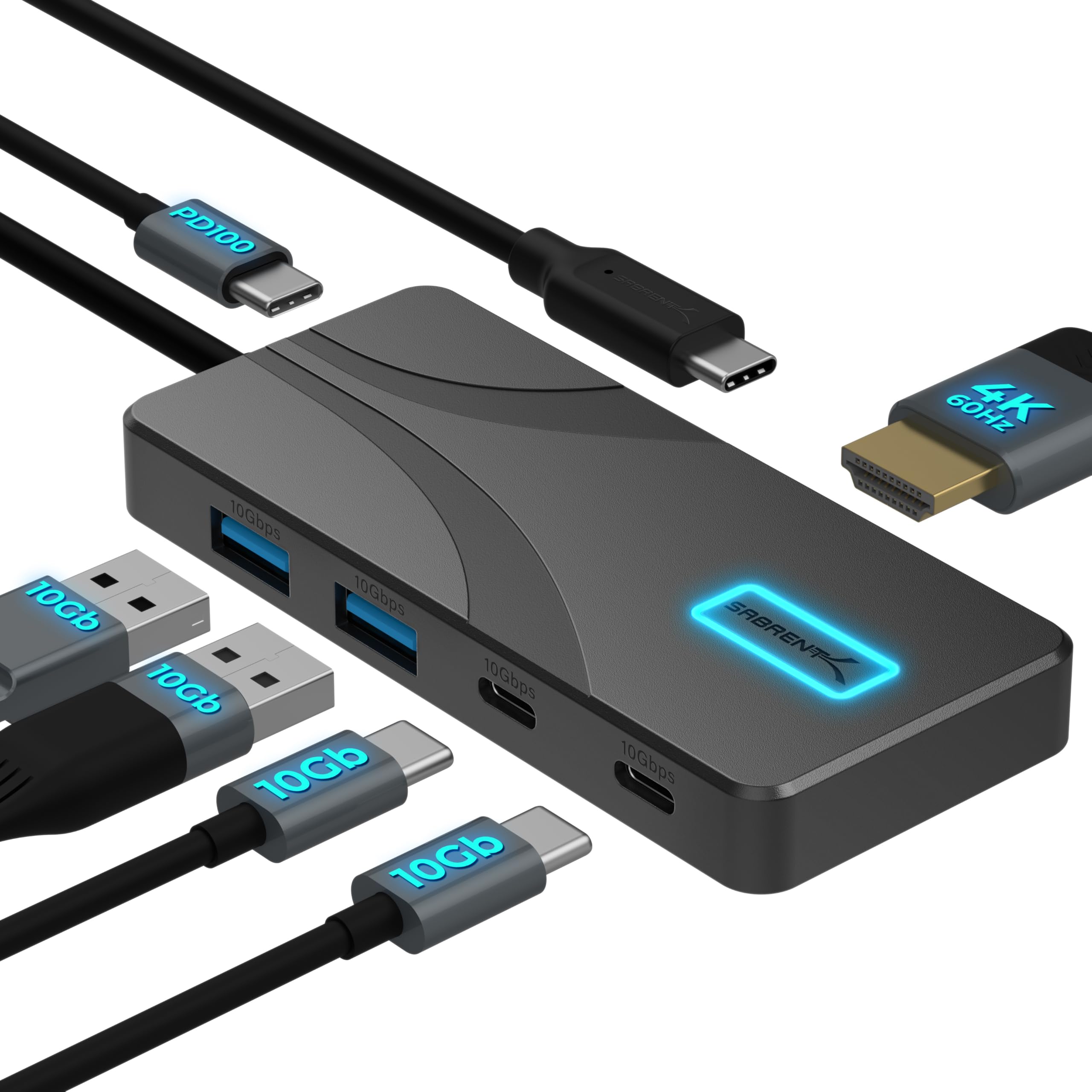
- Connect a display through its HDMI port, with output up to 4K at 60Hz.
- The dedicated power input can pass up to 80W to a laptop.
- Its integrated cable measures 60cm (24").
Best Gift For: A laptop user who needs a compact way to connect peripherals and an HDMI display.
JLab Go Work Wireless Headset (1 Pack)

- Bluetooth multipoint connects two devices at the same time.
- Use it wirelessly or plug in with the included cable.
- The headset offers 45+ hours of playtime on one charge.
Best Gift For: Someone who moves between laptop work and phone calls or video conferences.
FIFINE T669 USB Microphone Kit

- The cardioid capsule captures sound from the front and avoids ambient noise.
- A boom arm allows positioning for podcast or voiceover recording.
- Includes a double pop filter to help minimize popping sounds.
Best Gift For: A home creator recording voiceovers, podcasts, or audio for online meetings.
Audioengine A2+ Wireless Computer Speakers

- Connect wirelessly to phones, tablets, or computers.
- Wired connections include USB-C, RCA, and 3.5mm AUX inputs.
- The speakers have real wood cabinets and app-free setup.
Best Gift For: A desk worker who enjoys music, podcasts, or audio during the workday.
Nulaxy Pull-Out Height Adjustable Laptop Stand

- The pull handle makes changing between sitting and standing positions quick.
- The foldable design can help save desk space when not in use.
- The aluminum panel has ventilation holes to aid heat dissipation.
Best Gift For: A laptop user who alternates between sitting and standing at a desk.
SteelSeries Aerox 3 Wireless Gaming Mouse

- The mouse has a holey shell designed to reduce weight to 68g.
- Choose from 16.8 million configurable RGB colors.
- Its interior is shielded from water splashes, dust, and dirt.
Best Gift For: A desk worker who also plays PC games and wants wireless mouse control.
BESTEK PD20W Power Strip Tower
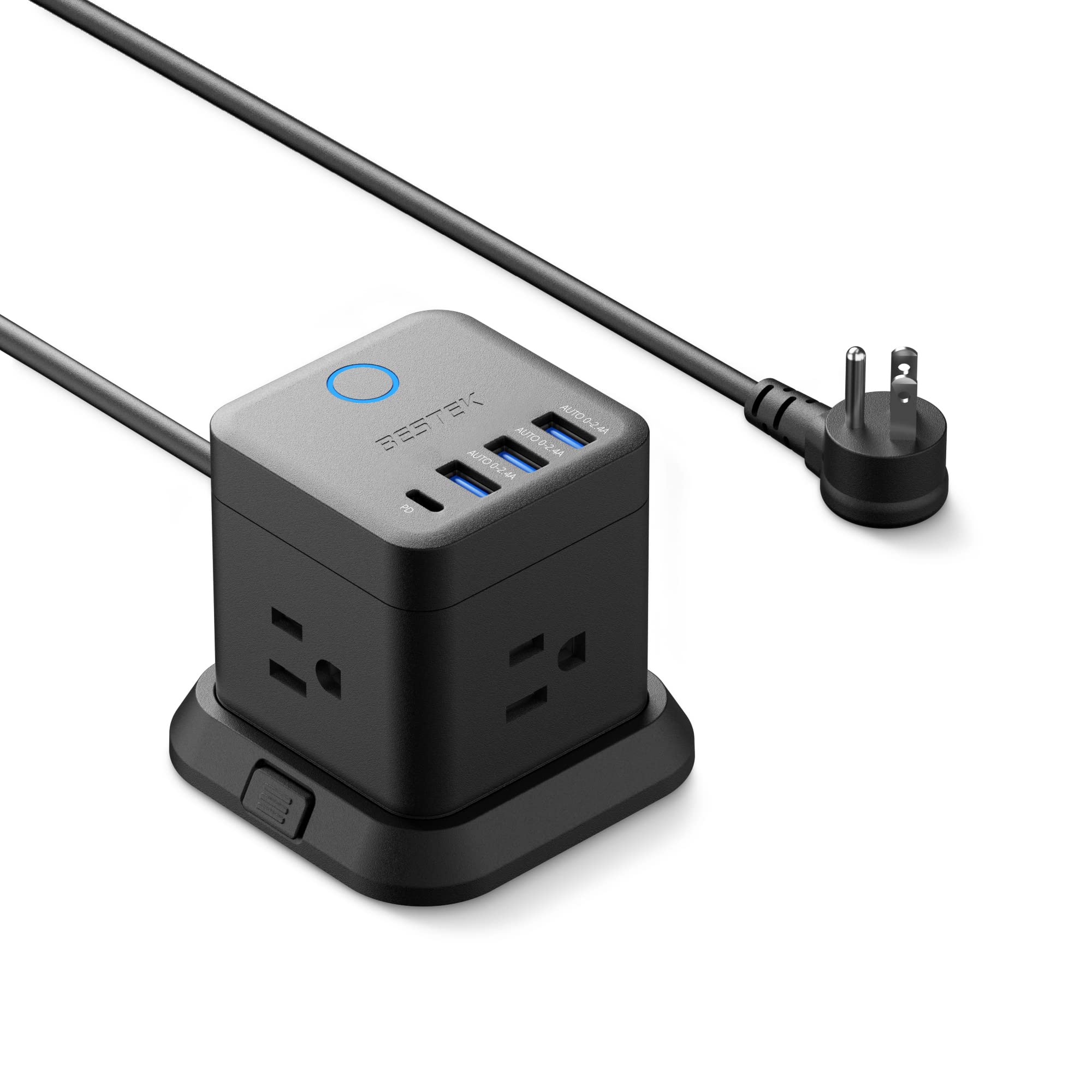
- Provides three outlets, three USB-A ports, and one USB-C port.
- The base can be mounted to a desk, under a table, or on a wall.
- A flat plug is designed to fit narrow spaces.
Best Gift For: Someone who wants a compact charging and outlet hub near a home workstation.
TP-Link Archer BE230 Wi-Fi 7 Router
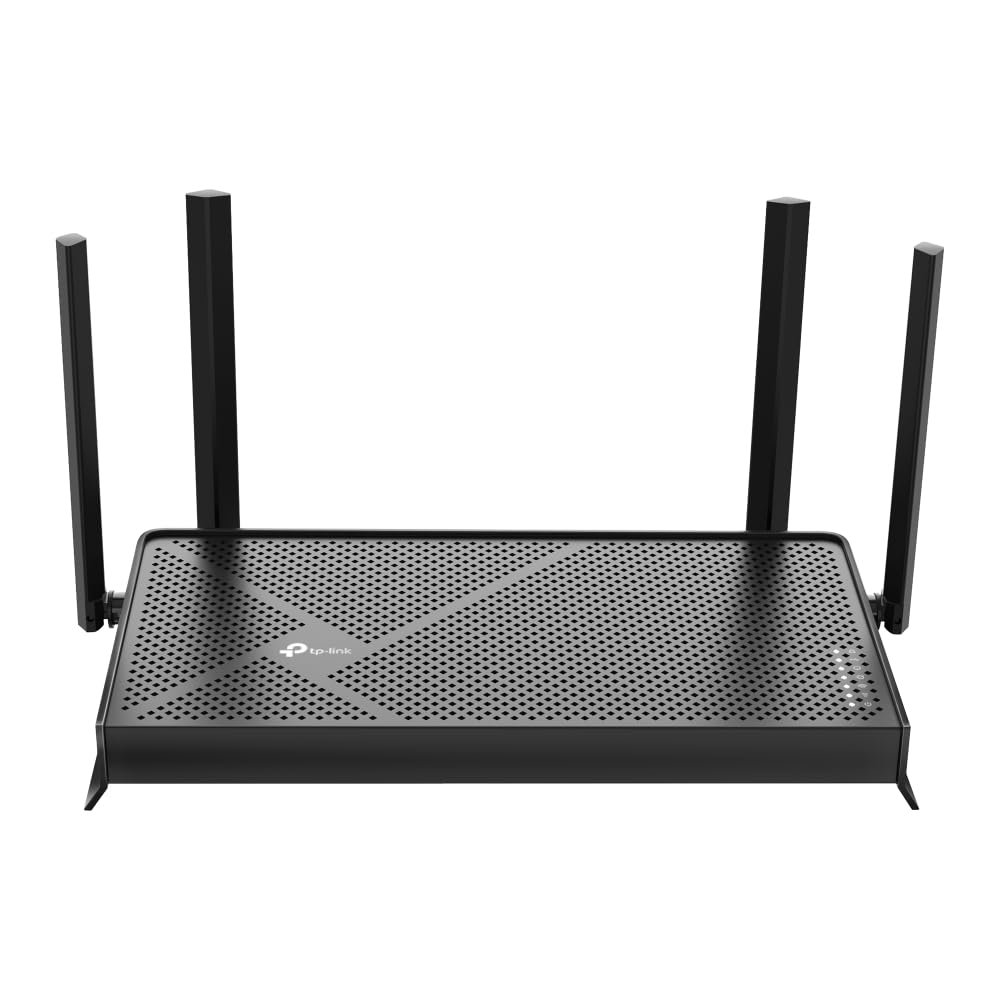
- Supports Wi-Fi 7 and Multi-Link Operation.
- Offers one 2.5G WAN/LAN port and one 2.5 Gbps LAN port.
- Requires a separate modem for an internet connection.
Best Gift For: A home worker looking to update the network serving work devices and the rest of the household.
MAONO Wave T5 Mini Wireless Lavalier Microphone

- The microphone records at 48kHz/24-bit.
- Choose among four one-tap voice filters.
- The charging case provides 40 hours of total use.
Best Gift For: A home creator recording videos, online teaching, or voice content with a phone or computer.
1. Choose Home Office Tech Gifts Around the Workday
Start with the moments that shape the recipient’s day. Someone who spends hours in calls may value a headset or microphone, while a person who switches among documents and meetings may benefit from a screen or laptop adjustment.
Home office tech gifts feel thoughtful when they address a familiar friction point.
Consider the whole setup before choosing. A desk mount needs a compatible monitor and suitable desk; a hub needs ports that match the computer; a laptop stand should suit the recipient’s posture and work surface.
A quick check of device models and available space can prevent an otherwise promising gift from becoming a mismatch.
For a creative worker, think about where ideas become finished work. A voice creator may need a mic and a quieter, more intentional recording position.
Someone who spends the day at a desk may appreciate speakers for focused listening or a cleaner way to manage power and connections. Choose one improvement that fits their routine.
2. Balance the Budget With What They Will Use
Set a comfortable budget, then compare the kind of improvement each gift offers. Smaller accessories can make an everyday setup more convenient, while larger desk or audio upgrades may suit someone who has mentioned a specific need.
A gift is useful when it earns a natural place in the recipient’s workday.
Think about what else the gift requires. A hub may need a compatible charger or display, and a network update may depend on existing home equipment.
Check actual prices and compatibility before buying, and account for any complementary items the recipient would need to use the gift as intended.
When several options seem suitable, prioritize the one that solves a clear problem. If they already have a comfortable way to take calls, a workspace organization gift may be more meaningful.
If they have expressed a wish to improve recordings or screen positioning, that specific clue can help you spend with more confidence.
3. Personalize Home Office Tech Gifts
Home office tech gifts can feel personal when they reflect how someone works, not just what equipment they own. Consider whether they spend more time in meetings, writing, designing, recording, or switching between a laptop and other devices.
A fitting tool shows you noticed the details of their day.
Presentation can make practical technology feel warm. Add a short note explaining why you thought of their work routine, or pair the gift with a small desk accessory they already use.
Keep the packaging easy to open and save setup information so the recipient can get started at their own pace.
If you are unsure about a technical choice, personalize the gesture rather than guessing at an exact model. A card describing the kind of workspace upgrade you had in mind can accompany a gift receipt or an invitation to choose together.
That keeps the thoughtfulness while giving them room to confirm fit and preferences.
4. Give the Setup Room to Grow
A good workstation changes with projects, schedules, and available space. Think about whether the recipient works at one fixed desk or moves between rooms, and whether they share the space with family or roommates.
Compact, flexible accessories may suit a shared surface, while a more involved upgrade deserves a stable home.
Match the gift to the level of setup they enjoy. Some people like adjusting a workspace and connecting devices; others prefer an item that is ready to use with little fuss.
If the recipient values simplicity, favor a gift with a clear role in their routine and avoid adding complexity they have not asked for.
Also consider how the gift fits alongside equipment they already own. A new accessory should complement their laptop, monitor, and desk habits.
When in doubt, check the exact model and connection requirements with them discreetly, or ask someone familiar with their setup to help confirm the choice.
5. Last-Minute Buying Advice
For a last-minute purchase, focus on a need you already know about and check the retailer’s current delivery estimate before ordering. Do not assume a gift will arrive by a particular date.
A digital note or printed card can explain the planned gift if the package is expected later, without promising a delivery window.
Before checkout, verify the exact product variant, device compatibility, desk fit, and any accessories or power supplies needed. Review current product details and return terms, especially for gifts that attach to furniture or connect to a particular computer.
These quick checks are more useful than relying on a product name alone.
If delivery timing is uncertain, presentation can still feel complete. Wrap a note describing the intended workspace improvement, then let the recipient know you checked the fit and left time for them to choose a preferred setup.
A practical gift can be thoughtful even when the final installation happens after the occasion.