The best USB microphones under $100 range from simple desktop models to dynamic mics with USB and XLR connections. Choose by how you record: consider pickup pattern, desk space, monitoring and mute controls, and whether you need a stand or wireless freedom.
Quick Top Products
Samson Q2U

- Connects by USB-C or XLR.
- Includes a desktop tripod and extension.
- Both connection cables and a windscreen are included.
Best For: Suitable for recording at a desk now and connecting to an audio interface or mixer later.

MAONO PD200XS
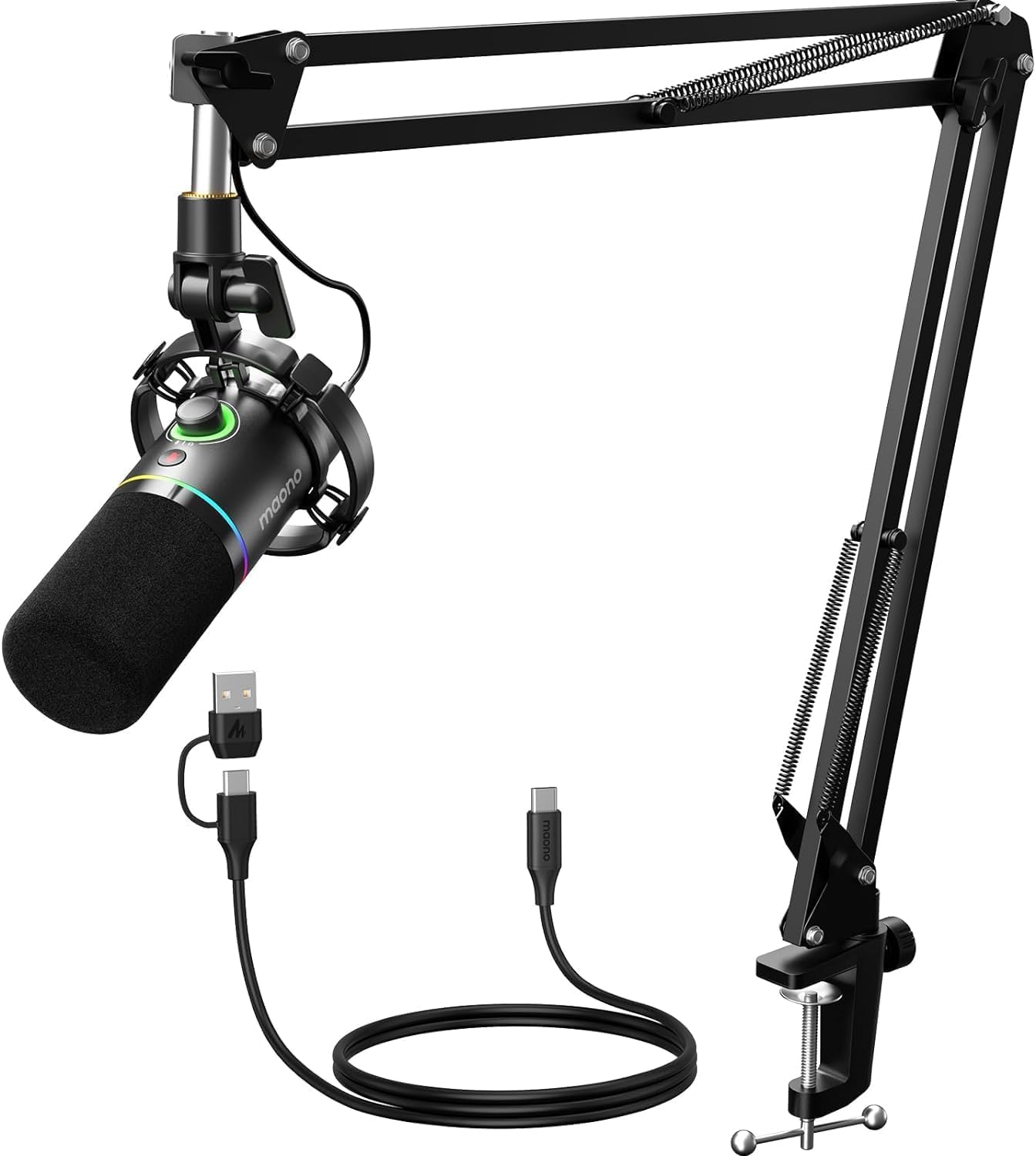
- Supports USB and XLR connections.
- USB software includes EQ, limiter, and compressor adjustments.
- The kit includes a boom arm and shock mount.
Best For: A fit for creators who want USB controls and software sound adjustments with a boom arm included.
FIFINE AmpliGame AM8 White

- Has USB and XLR connectivity.
- USB mode includes gain, mute, and headphone controls.
- RGB can be changed or switched off over USB.
Best For: A practical match for a white gaming or streaming setup that may later use a mixer.
FIFINE AmpliGame AM8T
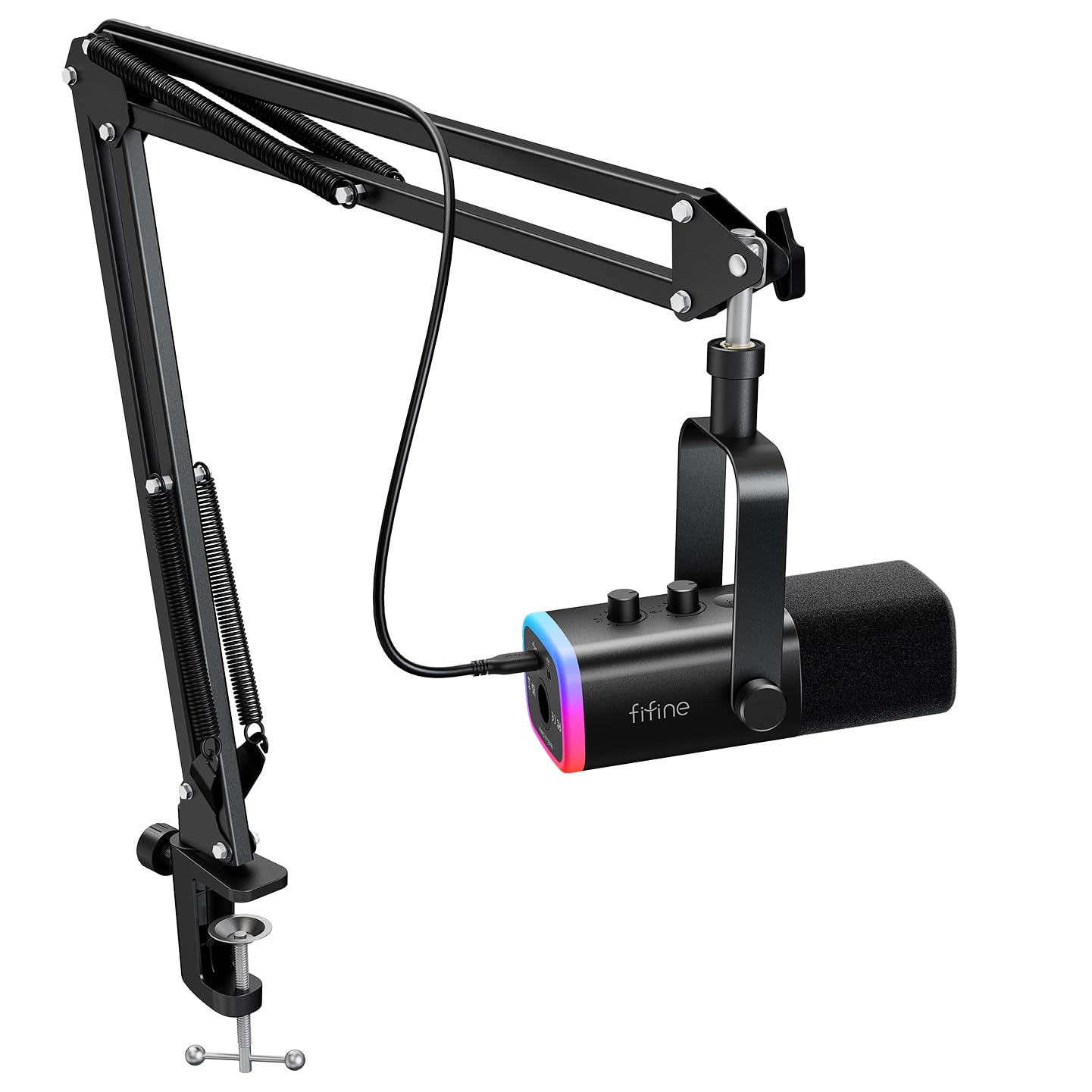
- Supports USB and XLR connections.
- Includes a boom arm and C-clamp.
- USB mode includes a mute button, gain knob, headphone volume control, and a headphone jack for real-time monitoring.
Best For: Suited to streamers who want a boom arm now and the option to add an XLR interface later.
Samson Meteor Mic
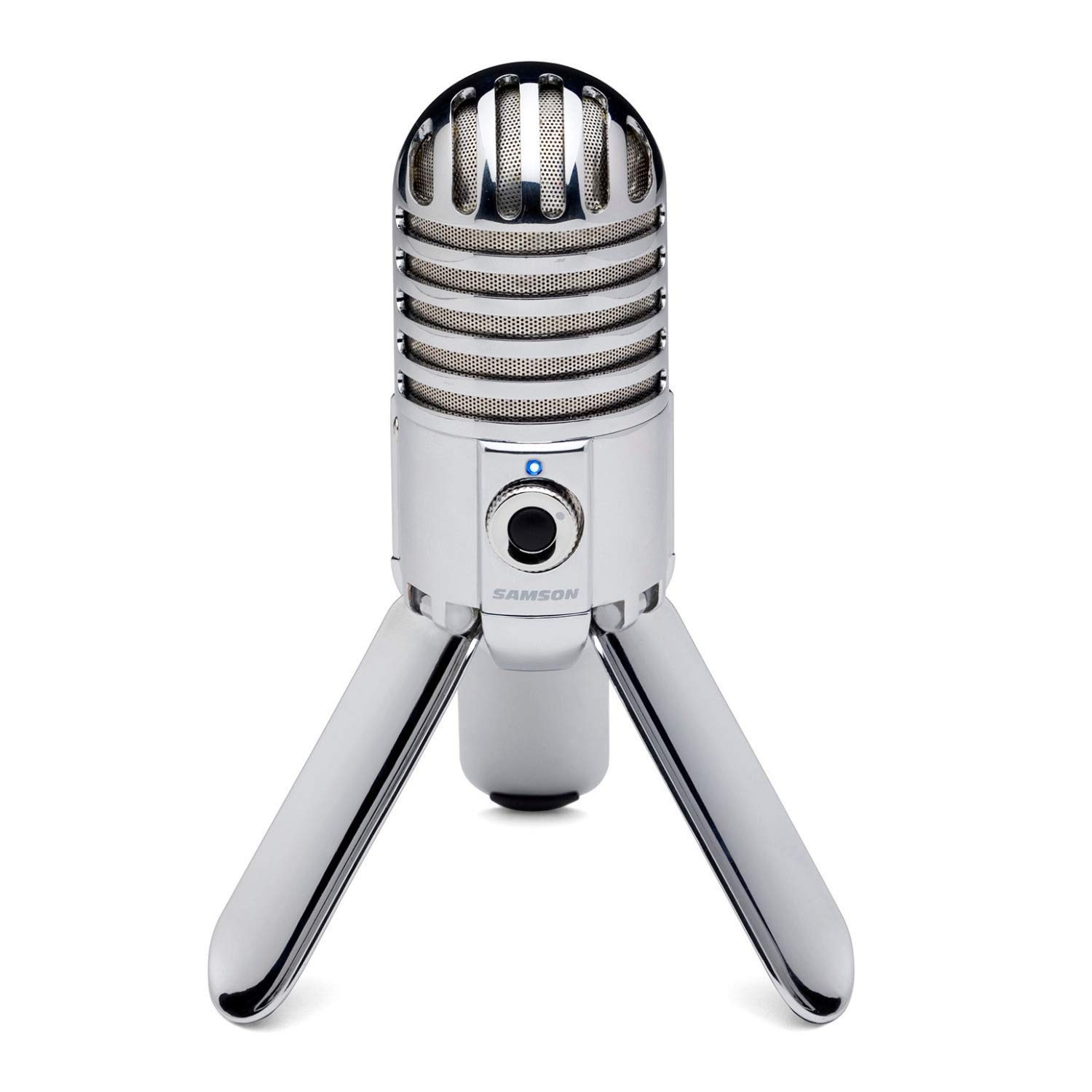
- Fold-back legs support positioning and easy transport.
- Includes a headphone output with level control.
- Uses a 1-inch studio-quality capsule.
Best For: A compact choice for recording at a desk or packing a USB mic for travel.
FIFINE AmpliTank K688
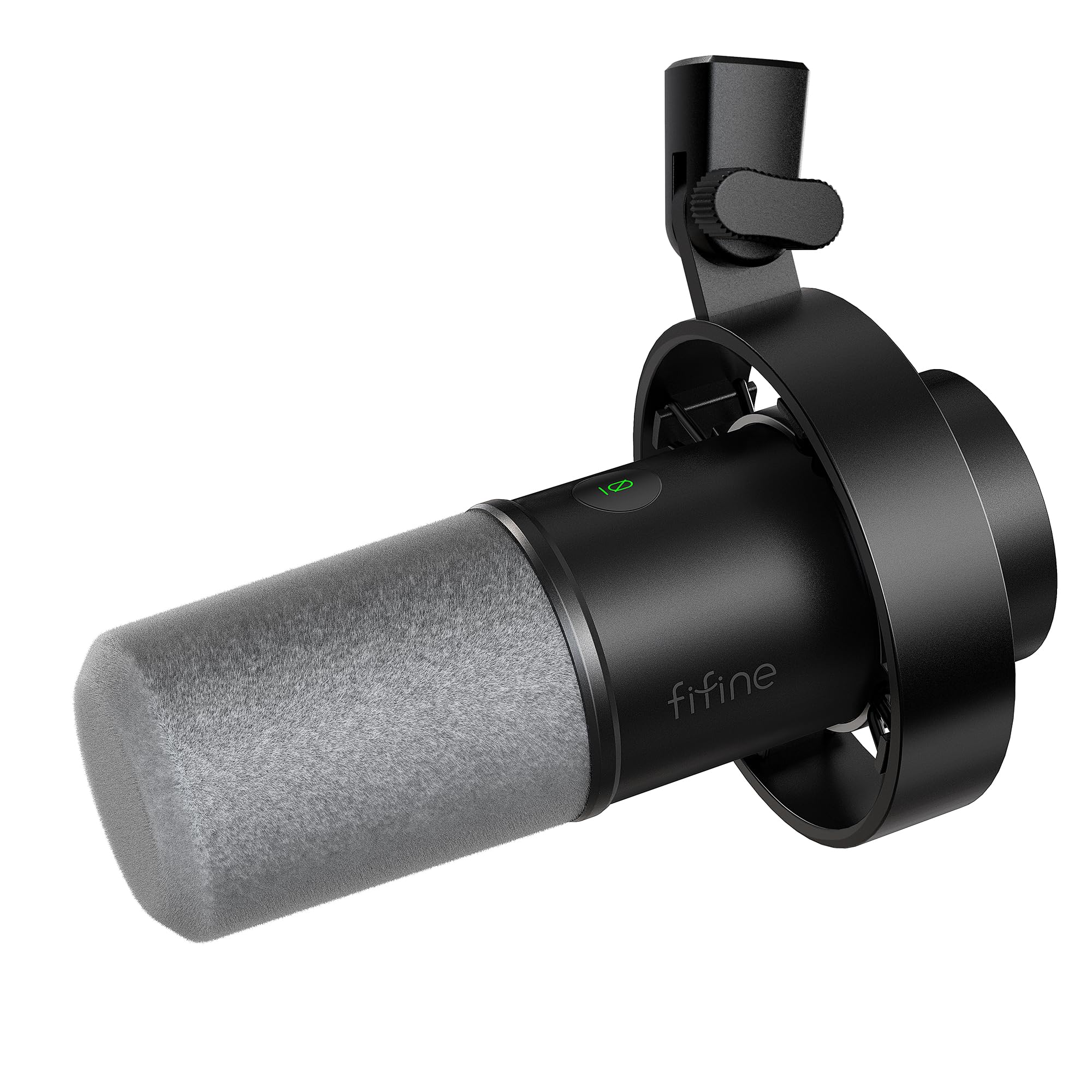
- Supports USB and XLR connections.
- Includes a mic with shock mount and a windscreen.
- USB mode includes mute, gain, and headphone controls.
Best For: A fit for close-positioned voice recording with USB controls and a future XLR connection option.
FIFINE T683
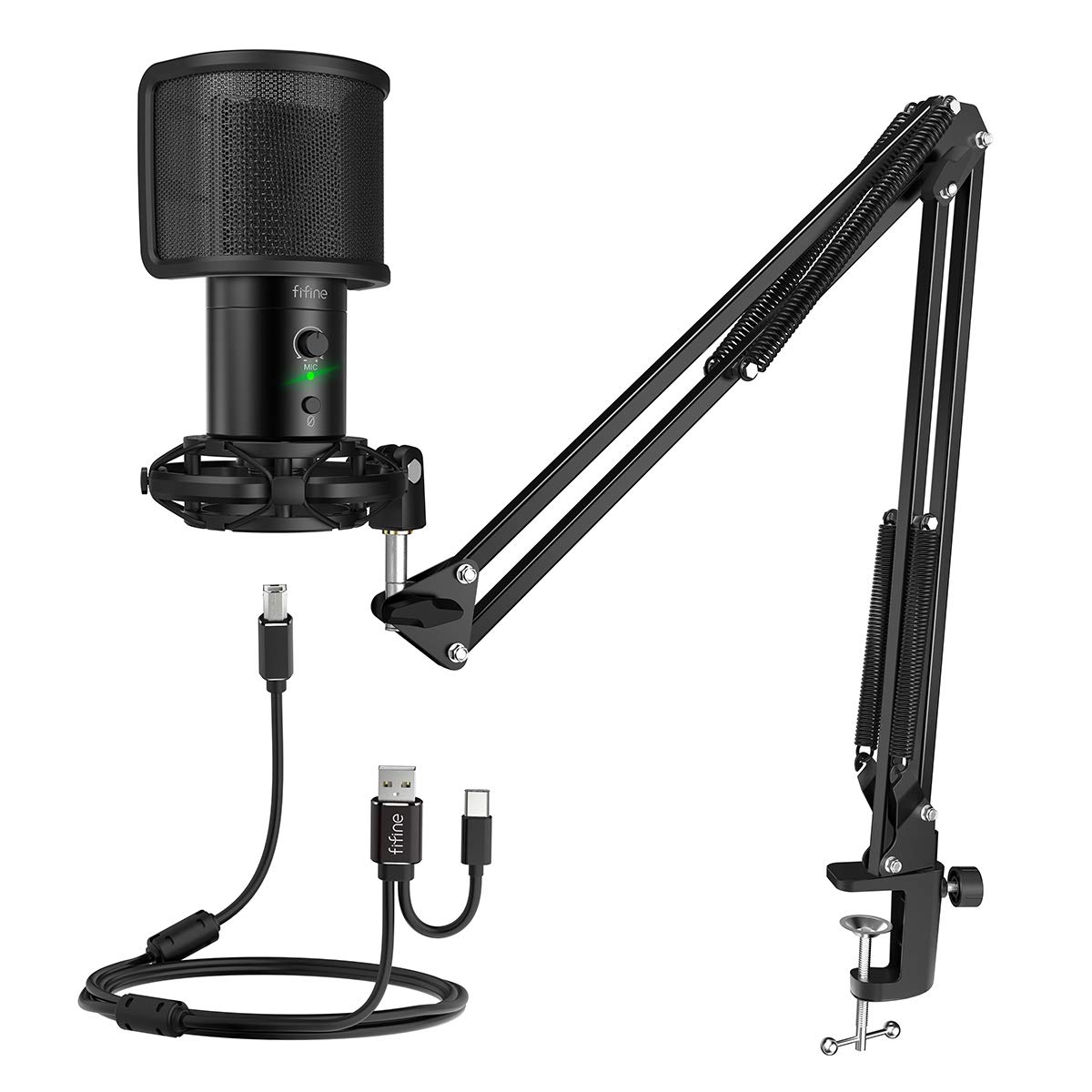
- Includes a boom arm, table mount, shock mount, and pop filter.
- Provides gain, mute, LED status, and headphone monitoring.
- The arm clamp fits desks up to 2 inches thick.
Best For: A good fit for a home desk setup that needs an arm, pop filter, and real-time monitoring.
MAONO DGM20
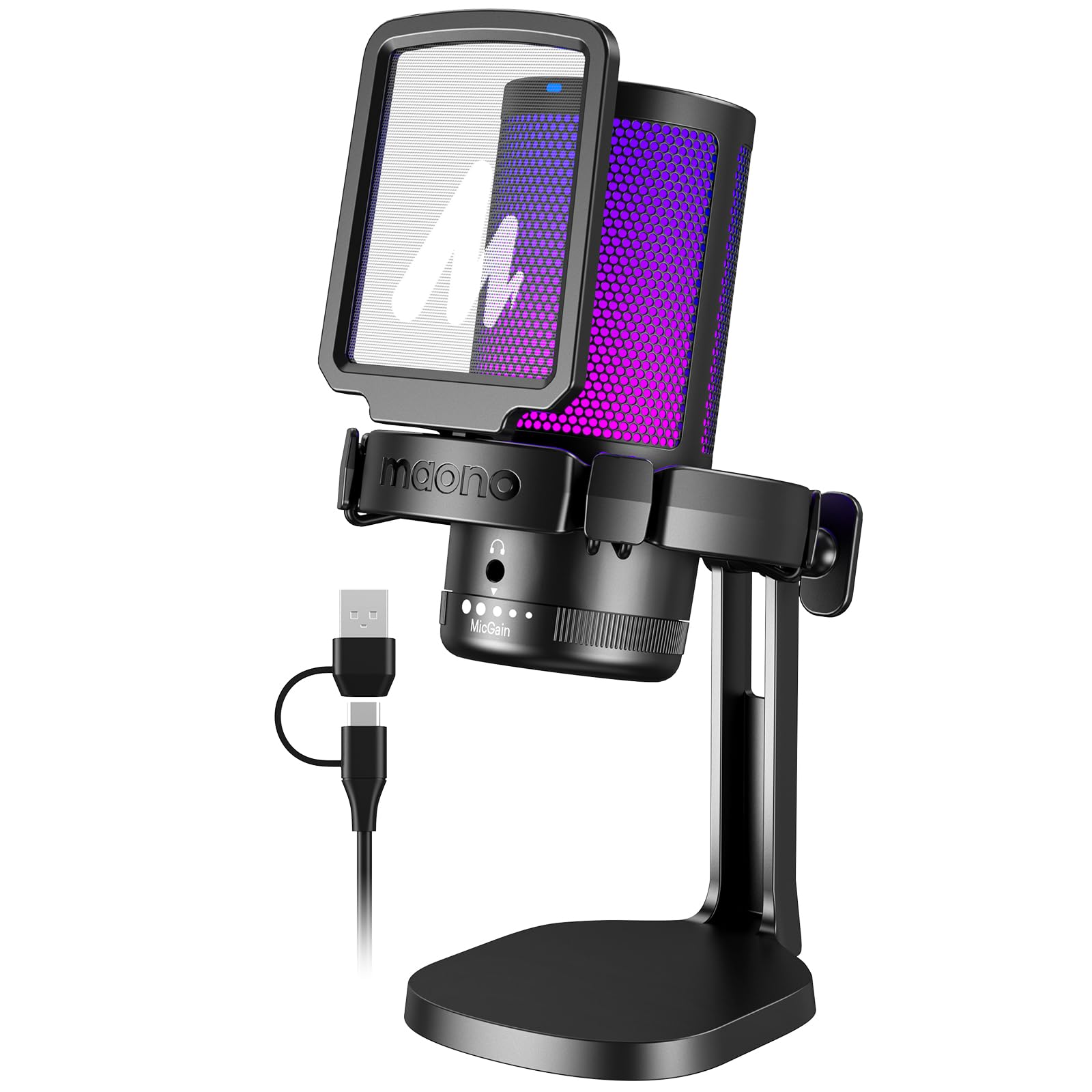
- Noise cancellation has a one-key control and Windows software option.
- Includes mute, gain, and headphone monitoring controls.
- The included cable supports USB and USB-C connections.
Best For: Suitable for PC and console creators who want selectable noise cancellation and USB-C compatibility.
MAONO PD100W
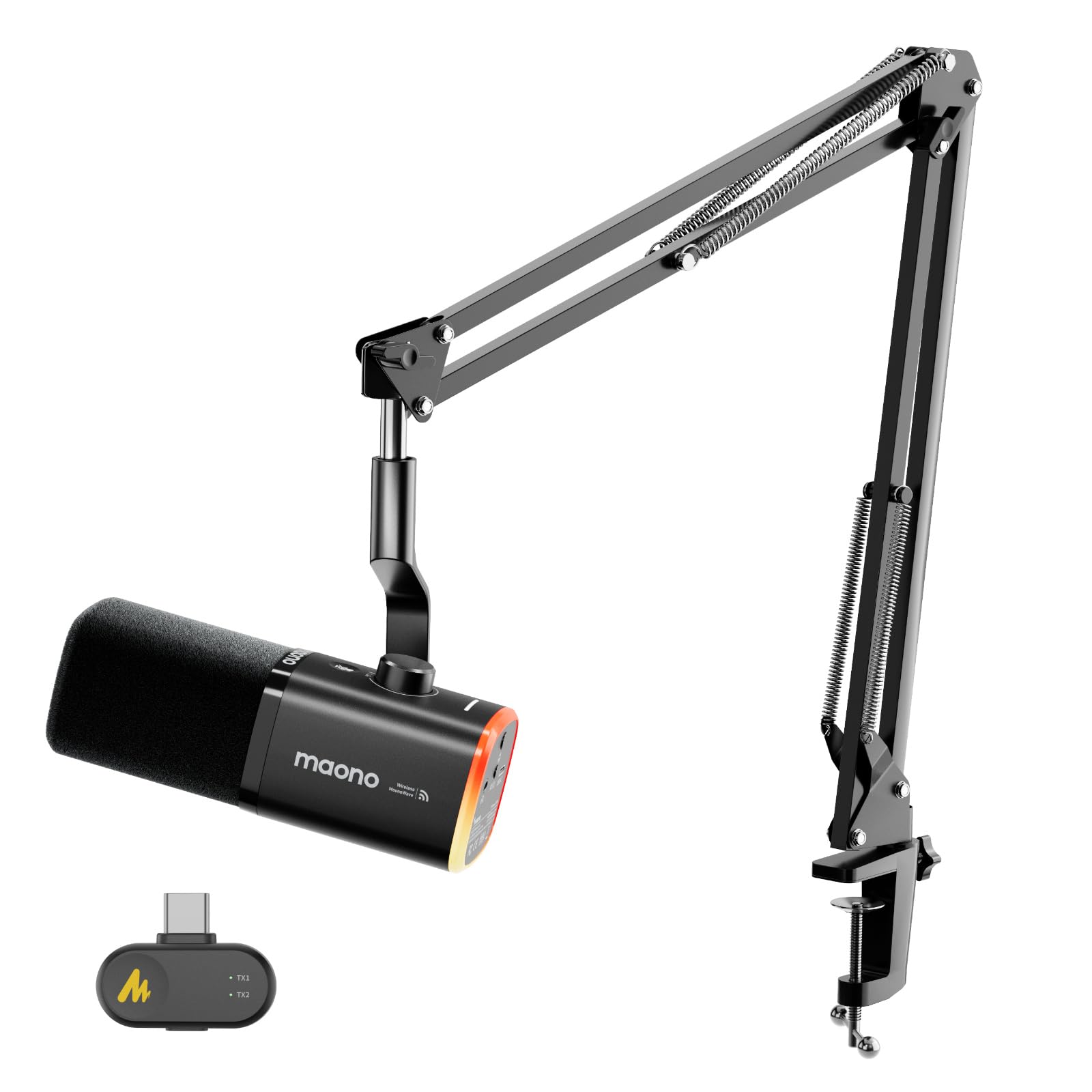
- Supports 2.4G wireless and wired USB modes.
- This configuration includes a boom arm and USB-C receiver.
- Provides touch mute, monitoring, and noise-reduction controls.
Best For: A match for creators who want a wireless desktop setup with a boom arm and USB fallback.
Dual USB-C and XLR Flexibility
Samson Q2U Dynamic USB-C/XLR Microphone
The Samson Q2U is a dynamic handheld microphone with both USB-C and XLR connections, so it can work directly with a computer or fit into an XLR recording setup. Its pack includes a desktop tripod stand, extension, mic clip, windscreen, USB-C cable, and XLR cable.
That makes it a flexible option for someone building a basic recording setup without shopping for those essentials separately. The compact tripod is a desktop solution, rather than a boom arm for clearing space in front of a monitor.
Check that your computer has a USB-C interface for direct connection.
Best For: Suitable for recording at a desk now and connecting to an audio interface or mixer later.
| Pros | Cons |
|---|---|
|
|
Choose the Q2U if you want the option to move from USB-C recording to an XLR setup and value an included XLR cable. The tripod stand keeps the package straightforward, though it does not provide the reach of the boom-arm kits in this roundup.
Before buying, confirm your computer has USB-C or plan for a compatible connection, and decide whether a handheld mic on a desktop tripod suits your recording position.
Dynamic Mic With Software Tuning
MAONO XLR/USB Dynamic Microphone Kit, RGB Podcast Mic with Software, Mute, Gain Knob, Volume Control, Boom Arm for Streaming, Gaming, Voice-Over, Recording-PD200XS Black
The MAONO PD200XS combines USB and XLR connections with a dynamic capsule and a supplied boom arm. In USB mode, MAONO Link provides EQ, limiter, and compressor adjustments, as well as control of its RGB lighting.
A gain and headphone-volume knob, one-click mute, and a headphone jack put everyday recording controls on the microphone. The kit does not include an XLR cable, so an XLR setup requires an additional cable.
Its software features are limited to USB mode, making the connection choice relevant if you plan to use an interface or mixer.
Best For: A fit for creators who want USB controls and software sound adjustments with a boom arm included.
| Pros | Cons |
|---|---|
|
|
Choose the PD200XS if you want a dynamic USB mic with software shaping and a boom arm in the box. Its USB mode brings together the app adjustments and direct controls; XLR mode offers connection to a mixer or interface but gives up the software features, and the cable must be purchased separately.
Check whether you want to use the bundled arm and whether you need its app controls before deciding how to connect it.
White USB/XLR Desktop Setup
FIFINE XLR/USB Gaming Microphone for Streaming Podcasting, PC Computer RGB Mic, with Gain Knob, Mute Button, Monitoring Jack, Gamer Mic for Recording Video Creation-AmpliGame AM8 White
The white FIFINE AmpliGame AM8 combines USB and XLR connectivity in a compact desktop microphone designed for gaming, streaming, podcasting, and voiceovers. Its USB controls include a gain knob, tap-to-mute, a headphone jack, and headphone-volume adjustment; RGB lighting is also available over USB.
The listing advises positioning the end-addressing mic toward the audio source and gives a suggested recording range of 2 to 6 in. No boom arm or XLR cable is specified here, so consider how you will mount it and what you need for an XLR connection before ordering.
Best For: A practical match for a white gaming or streaming setup that may later use a mixer.
| Pros | Cons |
|---|---|
|
|
Choose this model if a white desktop mic suits your setup and you want both USB and XLR as connection options. USB is the useful mode for its mute, gain, headphone, and lighting controls.
The XLR path offers a way to connect to a mixer, but the supplied details do not establish that an XLR cable or stand is included. Confirm your mounting plan and any cable needs, and follow the close positioning guidance when setting it up.
Boom Arm With XLR Upgrade Path
FIFINE XLR/USB Gaming Microphone Set, Dynamic PC Mic for Streaming Podcasting, Computer RGB Mic Kit with Boom Arm Stand, Mute Button, Headphones Jack, for Recording Vocal Voice-Over-AmpliGame AM8T
The FIFINE AmpliGame AM8T pairs a dynamic mic with a metal boom arm and supports USB plug-and-play as well as XLR connection to a mixer or sound card. On USB, it provides RGB controls, a mute button, gain adjustment, headphone monitoring, and headphone-volume control.
Its cardioid pattern and -50dB sensitivity are included among the product specifications. The kit does not include an XLR cable, and the clamp is for desks less than 2 inches thick.
Check both your desk edge and cable needs before choosing this arm-mounted package.
Best For: Suited to streamers who want a boom arm now and the option to add an XLR interface later.
| Pros | Cons |
|---|---|
|
|
Choose the AM8T if you want an arm-mounted dynamic mic and expect to use USB first, with XLR as a later option. The included arm can position the mic near your voice and off the desktop, but its clamp needs a suitable desk edge.
USB is required for the onboard controls and RGB. Since the kit omits the XLR cable, factor that in if you already have a mixer or interface in mind.
Foldable Travel-Friendly Condenser
Samson Meteor Mic USB Condenser Podcasting Podcast Recording Desktop Microphone
The Samson Meteor Mic is a desktop USB condenser with fold-back legs that collapse for transport. Its 1-inch capsule and cardioid pickup pattern are paired with a headphone output and level control for zero-latency monitoring.
The product details also give a 20Hz–20kHz frequency response and 16-bit, 44.1/48kHz resolution. Its foldable legs offer a built-in desktop support, but the details do not specify a mute button or an alternate XLR connection.
Consider it when compact setup and monitoring are more important than a boom arm or interface flexibility.
Best For: A compact choice for recording at a desk or packing a USB mic for travel.
| Pros | Cons |
|---|---|
|
|
Choose the Meteor Mic if you want a self-contained desktop condenser that folds up for transport and includes headphone monitoring. It is less adaptable to a growing XLR setup than dual-connection options, and no mute control is specified.
Check whether the fold-out legs give you the position you need on your desk. Its published recording resolution and frequency response may also help you compare it with other USB condenser choices.
Dynamic Mic With Included Shock Mount
FIFINE Dynamic Microphone, XLR/USB Podcast Recording PC Microphone for Vocal Voice-Over Streaming, Studio Metal Mic with Mute, Headphone Jack, Monitoring Volume Control, Windscreen-Amplitank K688
This FIFINE AmpliTank K688 is a dynamic USB/XLR microphone with a cardioid pattern, an included shock mount, and a windscreen. USB use provides tap-to-mute, a gain knob, and headphone monitoring with volume control.
The product details recommend close mic placement and say an arm stand, mic stand, and XLR cable are not included. That makes it a more bare-bones package than the arm kits, but useful if you already have a mount or plan to use it on a compatible stand.
Check your mounting hardware before buying.
Best For: A fit for close-positioned voice recording with USB controls and a future XLR connection option.
| Pros | Cons |
|---|---|
|
|
Choose this K688 if you want a dynamic microphone with USB and XLR options and already have a stand or arm. The included shock mount and windscreen add useful vibration and plosive management, while USB mode provides the local controls.
The package omits the mount and XLR cable, so budget for the items needed to place or connect it. Confirm that close mic positioning works for your recording space.
Complete Arm-Mount USB Kit
FIFINE USB Gaming Streaming Microphone Kit for PC Computer, Condenser Mic Set with Arm Stand Mute Button & Gain, Mic Studio Bundle for Podcast Recording Twitch Discord YouTube Zoom, USB C & A -T683
The FIFINE T683 bundles a USB condenser mic with a boom arm, table mount, shock mount, and pop filter. It is plug-and-play with Mac, PS4, and Windows PCs, and includes a gain control, mute button, LED indicator, and headphone jack for monitoring.
Its adjustable arm swivels for positioning and clamps to a desk up to 2 inches thick. The kit does not support Xbox.
This package favors an all-in-one desk setup; the connection remains USB, so choose it for direct computer recording rather than an XLR upgrade path.
Best For: A good fit for a home desk setup that needs an arm, pop filter, and real-time monitoring.
| Pros | Cons |
|---|---|
|
|
Choose the T683 if you want the arm and recording accessories bundled with a simple USB mic. Its clamp limit makes desk thickness a practical buying check, and its physical controls and headphone jack help with routine streaming or calls.
It is not the pick for an XLR-based studio chain, so consider whether direct USB connection is enough for your needs. Xbox users should choose a different model.
USB Mic With Noise-Canceling Controls
MAONO USB Gaming Microphone for PC, Noise Cancellation Condenser Mic with RGB, Mute, Gain, Computer Desk Mic for Streaming, Podcast, Chat, Twitch, YouTube, Discord, PS5, PS4, GamerWave DGM20 Black
The MAONO DGM20 is a USB condenser gaming microphone with a cardioid pattern, RGB modes, a mute button, and a gain knob. Noise cancellation can be toggled on the mic, with adjustable smart cancellation through DGM20 software on Windows.
It also includes a 3.5 mm headphone jack for real-time monitoring and a USB/USB-C cable for compatible computers, Macs, and PS4 or PS5 use. The software noise-cancellation feature is Windows-only, so check which controls are available on your operating system before choosing it.
Best For: Suitable for PC and console creators who want selectable noise cancellation and USB-C compatibility.
| Pros | Cons |
|---|---|
|
|
Choose the DGM20 if noise-cancellation controls are a priority for PC gaming, calls, or streaming. Its physical one-key control is distinct from the Windows-only software adjustment, so Mac users should not count on that app feature.
The supplied details identify USB and USB-C connections but do not specify a stand or arm. Confirm your mounting needs and operating system before deciding whether its controls suit your setup.
Wireless Dynamic Mic With Boom Arm
MAONO PD100W Wireless USB Dynamic Microphone, Gaming PC Mic with One-Click Noise Reduction,Mute Button,Custom RGB,3.5mm Headphone Jack,Software,Podcast Streaming Mic (Boom Arm(USB-C Receiver), Black)
The MAONO PD100W is a dynamic microphone that supports both 2.4G wireless and USB wired use. This version includes a boom arm and USB-C receiver, and it is designed for PC, laptop, mobile, and PS5 use; it is not compatible with Xbox.
Its controls include touch mute, a combined gain and volume knob, RGB, headphone monitoring, and adjustable noise reduction. A 1500 mAh rechargeable battery is specified, but the supplied details do not state a battery runtime.
Check the intended device connection and whether wireless or USB operation better fits your workspace.
Best For: A match for creators who want a wireless desktop setup with a boom arm and USB fallback.
| Pros | Cons |
|---|---|
|
|
Choose the PD100W if reducing cable clutter matters and you still want a wired USB fallback. This configuration pairs the microphone with a boom arm and USB-C receiver; check that the receiver suits your device and that you do not need Xbox compatibility.
The record gives battery capacity but no runtime, so battery life remains a detail to verify before relying on extended untethered sessions. Its combined knob and touch controls keep common adjustments on the mic.
How to Choose Usb Microphones Under 100
How We Picked USB Microphones Under $100
We prioritized microphones with a direct USB connection and a clear use case for recording, streaming, podcasting, or calls. The choices cover USB-only desktop condensers, dynamic models with an XLR upgrade path, bundled boom-arm kits, and a wireless option.
We also considered practical details such as mute and gain controls, headphone monitoring, supplied stands, and compatibility limits.
A complete kit can save setup steps, but its stand and accessories must fit your desk. A desktop tripod takes little assembly, while an arm needs a suitable clamp edge.
USB/XLR models offer more connection flexibility, though some omit the XLR cable and may limit onboard controls to USB mode.
Comparing USB Microphones Under $100
The main divide is connection and form factor. The Samson Q2U, MAONO PD200XS, and FIFINE AM8T provide USB and XLR options; the Samson includes an XLR cable, while the two FIFINE/MAONO arm kits do not.
USB-only picks such as the K683A and T683 focus on simple computer connection, with the T683 bundling an arm and table mount.
For a fixed desktop, the K683A, Meteor Mic, and DGM20 use desktop support rather than a boom arm. The T683 and AM8T include arm mounting, while the K688 leaves the mount to the buyer.
The PD100W takes a different route with wireless and wired USB modes. Compare the included support carefully, since a mic without an arm may need extra hardware for your preferred position.
| Product | Standout features | Best for |
|---|---|---|
| Samson Q2UCheck Price |
| Suitable for recording at a desk now and connecting to an audio interface or mixer later. |
| MAONO PD200XSCheck Price |
| A fit for creators who want USB controls and software sound adjustments with a boom arm included. |
| FIFINE AmpliGame AM8 WhiteCheck Price |
| A practical match for a white gaming or streaming setup that may later use a mixer. |
| FIFINE AmpliGame AM8TCheck Price |
| Suited to streamers who want a boom arm now and the option to add an XLR interface later. |
| Samson Meteor MicCheck Price |
| A compact choice for recording at a desk or packing a USB mic for travel. |
| FIFINE AmpliTank K688Check Price |
| A fit for close-positioned voice recording with USB controls and a future XLR connection option. |
| FIFINE T683Check Price |
| A good fit for a home desk setup that needs an arm, pop filter, and real-time monitoring. |
| MAONO DGM20Check Price |
| Suitable for PC and console creators who want selectable noise cancellation and USB-C compatibility. |
| MAONO PD100WCheck Price |
| A match for creators who want a wireless desktop setup with a boom arm and USB fallback. |
Choosing a Mic for Streaming, Calls, or Podcasts
For frequent live muting, look for a physical mute control and a clear status indicator. The K683A, AM8T, PD200XS, and DGM20 all provide practical on-mic controls, while USB monitoring appears on several models.
If you want to hear yourself as you record, check that the selected connection mode supports the headphone features you need.
Room setup can matter as much as the mic type. Cardioid models are intended to focus on sound from the front, so keep the speaking side pointed toward you and place the mic at a comfortable distance.
A pop filter or windscreen can help manage plosive bursts; shock mounts on some kits address desk vibration. These accessories do not remove the need to position the microphone thoughtfully.
USB-C, XLR, and Wireless Connection Checks
USB-C wording varies: the Samson Q2U names a USB-C connection, while the MAONO PD100W kit includes a USB-C receiver and a wired USB mode. Check your device's ports and the included cable or receiver before ordering.
If you plan to use XLR, budget for a cable where the kit omits one and confirm whether you already have the mixer or interface needed for that setup.
Compatibility also differs. The T683 and K683A exclude Xbox, and the PD100W also excludes Xbox.
Some products specify PS4 or PS5 support. For the DGM20, software noise-cancellation controls are Windows-only, even though the mic itself supports broader USB connections.
Who Should Buy Which USB Microphone?
Choose the Samson Q2U for a supplied USB-C/XLR path with both cables, the T683 for a complete USB arm kit, or the PD200XS for USB software processing and a boom arm. Pick the AM8T if you want an arm-mounted dynamic mic and plan to supply an XLR cable later.
For travel and monitoring, consider the folding Samson Meteor Mic. The K683A suits a straightforward desktop with local controls, while the DGM20 centers on noise-cancellation options for compatible Windows software.
If reducing cable clutter is the priority, the PD100W offers wireless operation with USB as a backup. Match the package to your desk, device, and connection plans before choosing.